Inter-Company Transfers
Overview
Inter-company transfers move devices between Reyder Enterprises and Axis Mobile. This is used when devices need to physically change ownership between companies in the same Odoo instance.
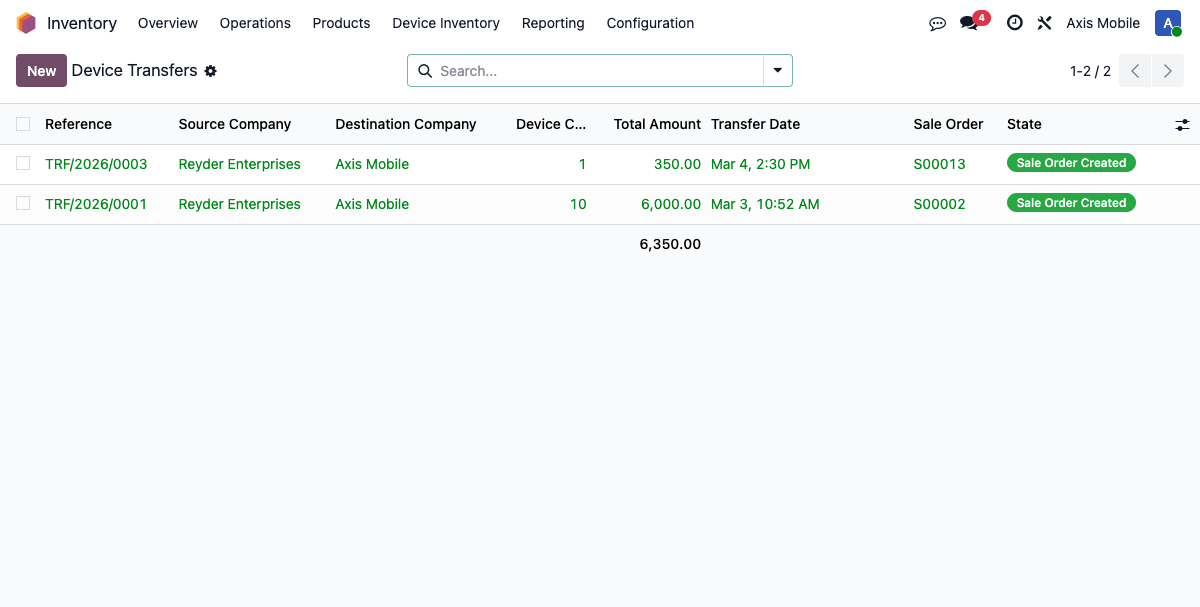
Transfer Orders
- Path: Inventory → Device Inventory → Operations → Inter-Company Transfers
- Model:
device.transfer.order
Fields
| Field | Description |
|---|---|
| state | draft, confirmed, sale_created, cancelled |
| source_company_id | Company sending devices |
| dest_company_id | Company receiving devices |
| source_location_id | Where devices are shipped from |
| dest_location_id | Where devices will be received |
| sale_order_id | Auto-created SO |
| total_amount | Total value of transfer |
| device_count | Number of devices |
| selection_mode | How devices are selected: manifest, purchase_order, product_group |
Device Selection Modes
- By Manifest — select devices from a specific receiving manifest
- By Purchase Order — select devices from a specific PO
- By Product Group — select devices by product model/specs
Step 1: Create Transfer Order
- Select source and destination companies
- Choose selection mode and pick devices
- Devices priced at cost (
purchase_cost) for inter-company transfer
Step 2: Confirm Transfer
action_create_sale_order():
- Creates SO in source company at cost price
- Auto-confirms the SO (triggers inter-company PO creation in destination company)
- Creates delivery manifest with pre-filled IMEIs
- State changes to
sale_created
Inter-Company SO/PO Flow
When the SO is confirmed in the source company:
- Odoo creates an inter-company PO in the destination company
- PO vendor = source company's partner
- PO auto-creates receiving manifest in destination company
Step 3: Destination Receives Devices
- Buyer confirms the PO
- Receiving manifest created automatically
- Buyer scans/receives devices via barcode
- On receive:
_get_or_create_lot()handles ownership transfer: - Uses row-level locks to prevent race conditions
- Updates
owner_company_idon the device to destination company - Creates new
stock.quantin destination company's location - Mark manifest complete → creates inventory GL entry
Direct-to-Owner Delivery
- Option
direct_owner_deliveryon PO - Devices ship directly to the owner without intermediate warehousing
Accounting for Inter-Company Transfers
Source company:
- COGS entry (DR COGS / CR Valuation) when delivery manifest completed
- Customer invoice to destination company (
out_invoice)
Destination company:
- Receiving GL entry (DR Valuation / CR Input) when receiving manifest completed
- Auto-created vendor bill from source invoice (
in_invoice, stays draft)
Configuration Required
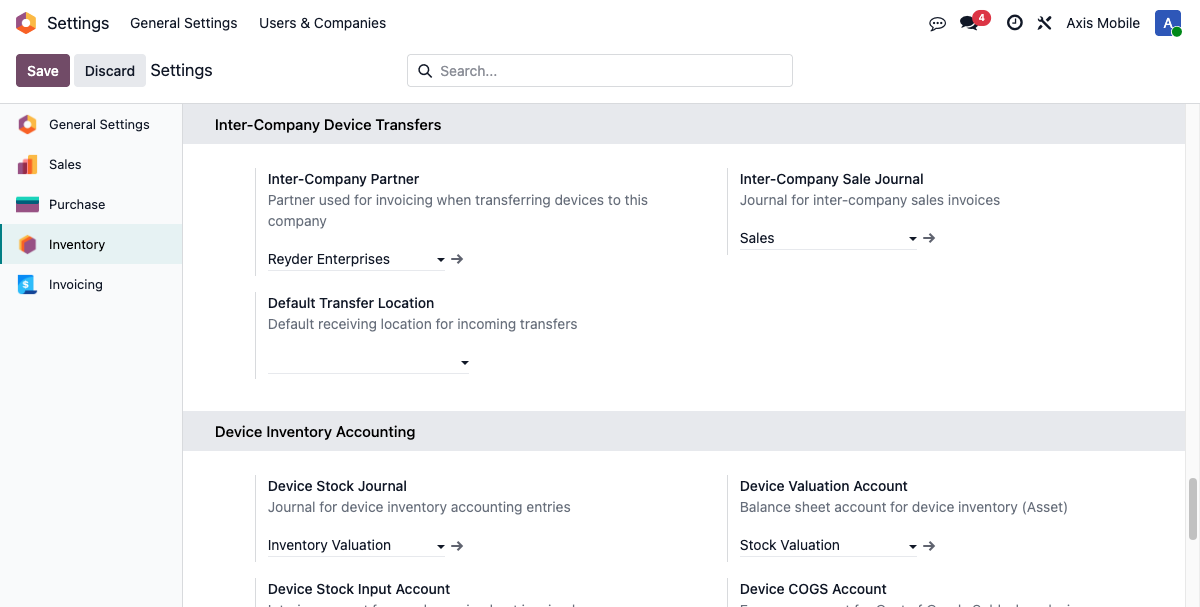
Settings → Inventory → Inter-Company Device Transfers:
- Inter-Company Partner: Partner record for the other company
- Inter-Company Sale Journal: For sales invoices between companies
- Default Transfer Location: Where incoming transfers are received